Home Office Decor Ideas: Design a Space You Can Work In
Most home offices are decorated as if the work happens somewhere else. The desk faces a wall because that is where the plug was. The chair came from the dining table. The only light is the ceiling fitting that was already there, and a lamp got added later because the screen was hard to see…
Most home offices are decorated as if the work happens somewhere else. The desk faces a wall because that is where the plug was. The chair came from the dining table. The only light is the ceiling fitting that was already there, and a lamp got added later because the screen was hard to see after four o’clock. It photographs fine and it is genuinely unpleasant to sit in for six hours.
A room you work in has requirements that a room you relax in does not. Light has to fall in a particular direction or you squint at a reflection all afternoon. The chair decides whether your back hurts by Thursday. Sound matters, because hard floors and bare walls turn every call into an echo chamber. And there has to be somewhere for the physical stuff to live, because paper accumulates in any job that still touches it.
None of that is at odds with a room looking good. The best home offices solve the practical problems first and then decorate around the solutions, which is the order this covers. Layout and light, then furniture and ergonomics, then storage, then the softer layer of colour, texture and personality, plus the specific problems of small spaces, shared rooms and video calls.
Start With Placement: Where the Desk Goes and Why
The single best desk position is perpendicular to a window, so daylight falls across the desk from the side rather than in front of you or behind you. Facing a window puts glare in your eyes and blows out your face on video calls. Backing onto one puts reflections on the screen and silhouettes you on camera. Side-on solves both.
If the room only allows facing or backing onto the window, the fixes are straightforward. Facing a window wants a sheer blind or a woven wood shade to diffuse the light without killing it. Backing onto one wants a blind you can lower during the brightest part of the day, plus a lamp in front of you for video calls so your face is lit rather than shadowed.
Beyond the window, a few placement decisions shape how the room feels:
Facing into the room rather than at a wall is worth doing if the space allows. A desk pushed against a wall in a corner works fine practically, but staring at plasterboard for hours is claustrophobic in a way people underestimate. Floating the desk so you look out across the room, or angling it into a corner facing outward, changes the experience considerably. It also gives you a controllable background for calls.
Sightline to the door matters more than it sounds. Sitting with your back to an open doorway means every passing person registers as a small startle. If you can position the desk so the door is in your peripheral vision, do. In a room where that is impossible, a small mirror angled to show the doorway solves it.
Power and data dictate more than they should. Plan where the cables will run before the desk is positioned, not after. A floor box, a discreet cable channel along the skirting, or simply choosing the wall with the sockets will save the trailing extension lead that ruins the look of every otherwise decent home office.
Separation from the rest of the house. If the office is a corner of another room, the single most useful thing you can do is create a visual boundary: a rug that defines the zone, a bookcase used as a partial divider, a folding screen, or a different wall colour on that section. The boundary is more psychological than physical, and it works.
How do I set up a home office in a room with no good window?
Interior rooms, box rooms and basement spaces need the lighting to compensate deliberately, and the answer is layering rather than one brighter fixture. Aim for three sources: an overhead with warm bulbs on a dimmer, a proper task lamp at the desk, and a third source elsewhere in the room such as a floor lamp or a wall sconce, which stops the space feeling like a lit pool in a dark box.
Then treat the room as a decorating problem rather than a deficiency. Dark rooms often look better painted a deep colour than a pale one, since pale paint with no daylight reads as grey and flat while a deep green, navy or clay makes the room feel deliberate. Add a large mirror to bounce whatever light exists. Use a picture light or a lit shelf to give the eye something bright to rest on. And take daylight breaks seriously, because a windowless workspace affects how the day feels far more than how it looks.
The Desk, the Chair and Getting the Ergonomics Right
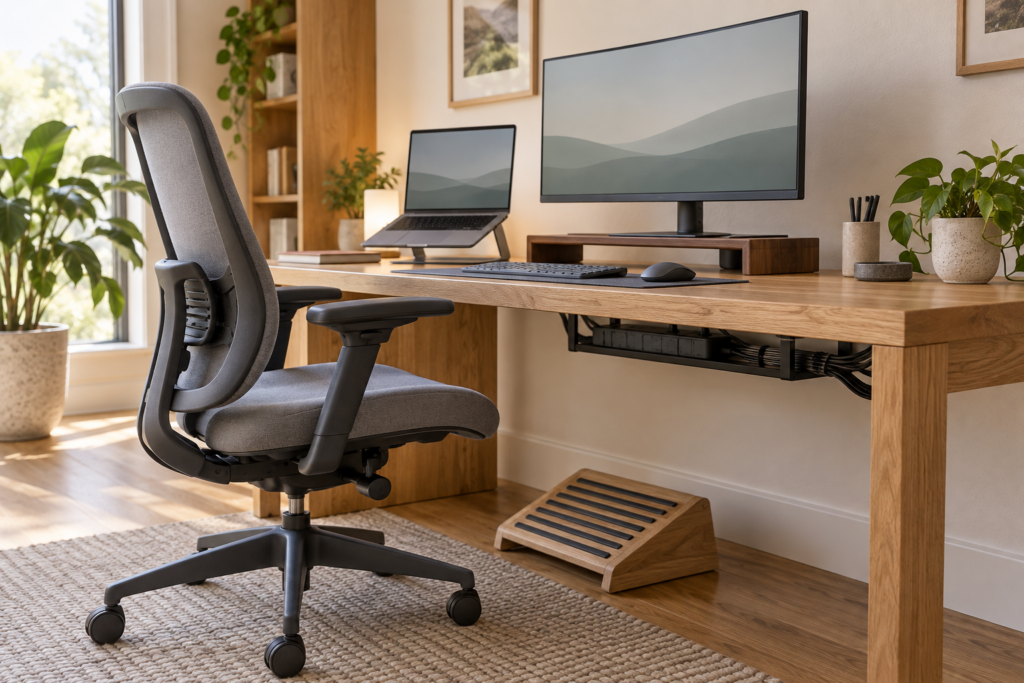
The measurements that prevent back and neck problems are specific and easy to check. Desk surface at roughly 72 to 76cm from the floor for a seated setup. Screen top at or just below eye level, roughly an arm’s length away. Elbows at about 90 degrees with forearms parallel to the floor. Feet flat on the floor or on a footrest. Almost every home office pain complaint traces back to one of these being wrong.
The chair is where the money should go, ahead of the desk. A desk is a flat surface and a good one can be a plain solid table; a chair is a piece of engineering you sit in for thousands of hours. What to look for: adjustable seat height, adjustable lumbar support, a seat pan deep enough that there is a small gap behind your knees, and adjustable armrests set so your shoulders stay relaxed rather than raised.
Aesthetically, the problem is that most genuinely good task chairs are made of black mesh and plastic, which looks like an office. Three ways round it: choose one of the better-looking ergonomic chairs in a fabric and colour that suits the room, accept the mesh chair and let the rest of the room carry the style, or use a beautiful wooden or upholstered chair for short sessions and keep the ergonomic one for long ones. What does not work is a dining chair for eight hours a day, however good it looks.
Desks come down to depth, surface and cable management. Depth matters most, since a shallow desk forces the screen too close. Around 60cm is the practical minimum with a monitor, and 70 to 80cm is more comfortable. For the surface, solid wood and good laminate both work; glass is a perpetual fingerprint problem and reflects overhead light straight up into your face.
Standing desks are worth considering if you already know you dislike sitting all day, though the evidence for their benefit is mostly that varying position helps rather than that standing is inherently better. A cheaper route is a desktop converter on a normal desk, or simply taking calls standing up. If you do buy a full sit-stand desk, the frame quality determines whether it wobbles at standing height, which is the thing that makes people stop using them.
The accessories that make a real difference, in order:
A monitor riser or arm, which fixes screen height and frees the desk surface beneath. A monitor arm is the better version because it clamps to the desk and clears the space entirely.
A separate keyboard and mouse if you work on a laptop. Using a laptop alone means either the screen is too low or the keyboard is too high. Raising the laptop and adding a separate keyboard fixes both.
A footrest if your feet do not sit flat once the chair is at the right height for the desk.
Cable management, meaning a tray under the desk, adhesive clips along the legs, sleeves for the bundle and a power strip mounted off the floor. This is the least interesting purchase in the room and one of the most visible improvements.
Lighting That Stops Screen Glare and Afternoon Headaches
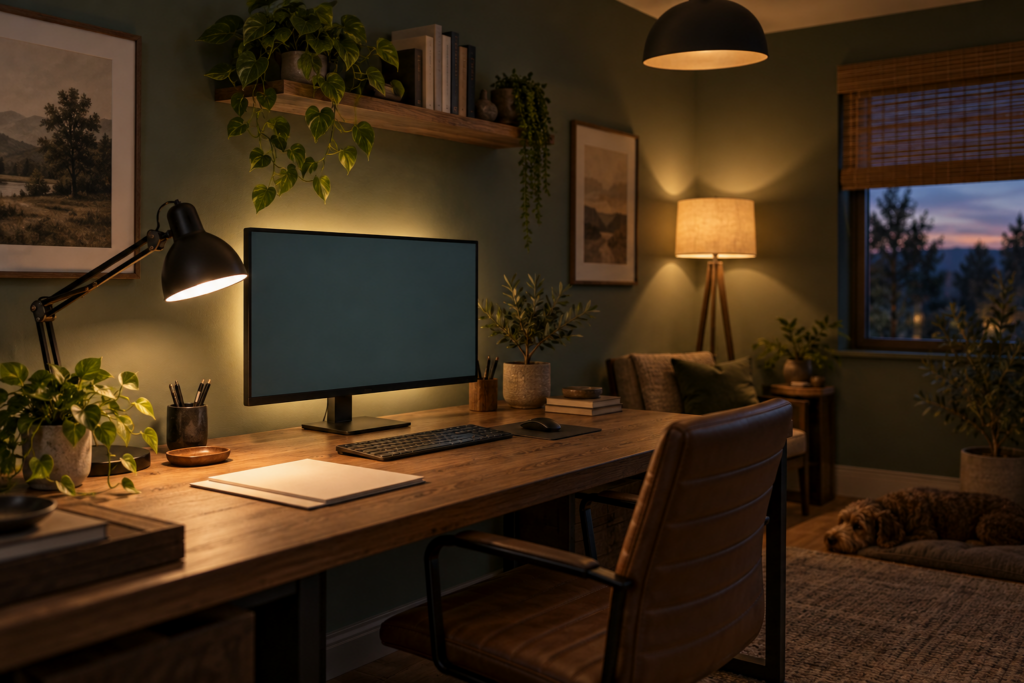
Home office lighting needs three layers and the right colour temperature, and getting this wrong causes more daily discomfort than any other decorating decision in the room. An overhead source for general light, a directed task lamp for the desk, and a third ambient source elsewhere so the room is not just a bright desk in a dark space.
Colour temperature is worth understanding because it affects how the room feels at different times. Around 4000K, a neutral white, suits daytime task lighting and keeps things alert without the clinical blue of daylight bulbs. Warmer bulbs around 2700K suit the ambient and evening layer. Some people prefer cooler light throughout for focus, which is fine. What consistently fails is a single cool overhead fixture as the only source, which flattens the room and makes evening work feel harsh.
Task lighting specifics matter. Position the lamp on the opposite side from your writing hand, so your hand does not cast a shadow across the page. Choose a lamp with an adjustable arm and head, so the light can be aimed at paper rather than at the screen. Avoid anything that puts a bright bulb directly in your field of view, since glare from a light source is as tiring as glare from a window.
Screen glare is the other half. If a window or a lamp is reflecting in the monitor, the fix is to change the angle of the screen, move the light, or add a blind, in that order. Matte screen finishes help. Bias lighting, meaning a low light source behind the monitor, reduces the contrast between a bright screen and a dark wall, which measurably reduces eye strain during evening work.
Dimmers are the cheapest upgrade in the room. Being able to drop the light level in the evening makes an office feel like part of a home rather than a workplace you happen to live in.
For video calls specifically, the priority is light in front of your face rather than behind it. A lamp, a window or a small dedicated light positioned in front of and slightly above you at eye level gives a flattering, even result. Overhead light alone casts shadows under the eyes.
What’s the best lighting for video calls in a home office?
Soft light from the front, at roughly eye level or slightly above, is the entire answer. A window in front of you is the best free option. Failing that, a lamp with a diffused shade placed behind your monitor and aimed at your face, or a small panel light on a stand, does the same job.
What to avoid: a bright window or lamp directly behind you, which turns you into a silhouette the camera cannot correct; overhead downlights as the only source, which shadow the eyes; and mixed colour temperatures, meaning a warm lamp on one side and cool daylight on the other, which gives one half of your face a different colour from the other. Match the bulbs in whatever is lighting you, and the picture improves immediately.
Storage, Cables and Keeping the Room Usable
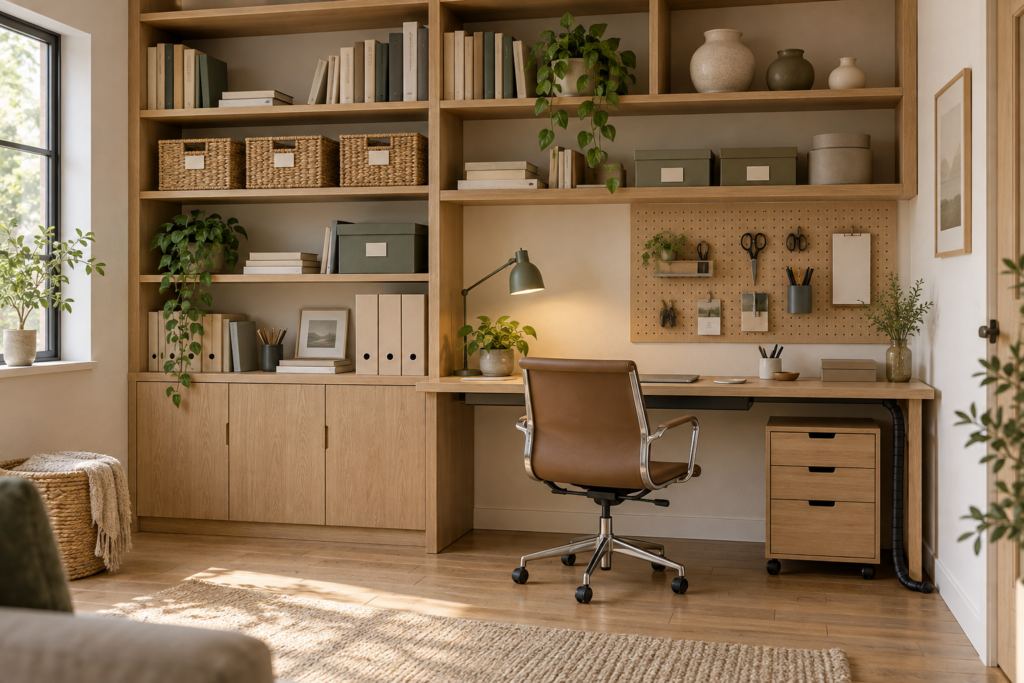
Home offices degrade faster than any other room, because work generates physical material continuously and there is rarely a designated place for it. The storage has to be planned around what actually accumulates rather than what looks tidy in a photograph.
The categories to plan for: paper that is active, paper that is archived, small stationery, technology and cables, and the awkward oversized items that vary by profession, meaning samples, equipment, portfolios or stock.
Vertical storage is the answer in most home offices, because floor space is usually the constraint and wall space is usually empty. Shelving above and beside the desk, a tall narrow bookcase rather than a wide low one, wall-mounted files and pegboard for small items. A run of shelving to the ceiling makes a small room feel taller, not smaller, provided the lowest shelf is high enough to clear the desk.
Closed storage for the ugly things is what separates an office that looks calm from one that looks busy. Printers, routers, spare cables, chargers and boxes of paper are all visually noisy. Put them in a cupboard, a cabinet or baskets on a shelf. Open shelving is for books, a few objects and things that look good.
A filing system that someone will actually use is usually simpler than the one people design. One tray for active paper, one place for things to be filed, and an archive box for anything older than the current year covers most home working. Elaborate systems fail because nobody maintains them.
Cable management deserves a proper pass rather than an afterthought. A cable tray mounted under the desk holds the power strip and the bundle off the floor. Adhesive clips run individual cables down a leg. Sleeves gather the bundle from desk to wall. Labelling each plug at the power strip takes ten minutes and saves considerable irritation later. Wireless peripherals reduce the problem at source, and a single USB hub or dock replaces several cables with one on a laptop setup.
The printer question comes up constantly. If you use it daily, it needs a permanent spot at a reachable height. If you use it monthly, it belongs in a cupboard, on a shelf inside a cabinet, or in another room entirely on the wifi. Most people give a printer far more prime desk real estate than its usage justifies.
Under-desk space is worth using deliberately. A drawer unit on castors, a filing cabinet doubling as a desk leg, or baskets for things that come out occasionally. Leave enough clear floor for your legs and a footrest, since a cramped under-desk area makes a chair feel worse than it is.
Colour, Art and Making It Feel Like a Room Rather Than a Workstation
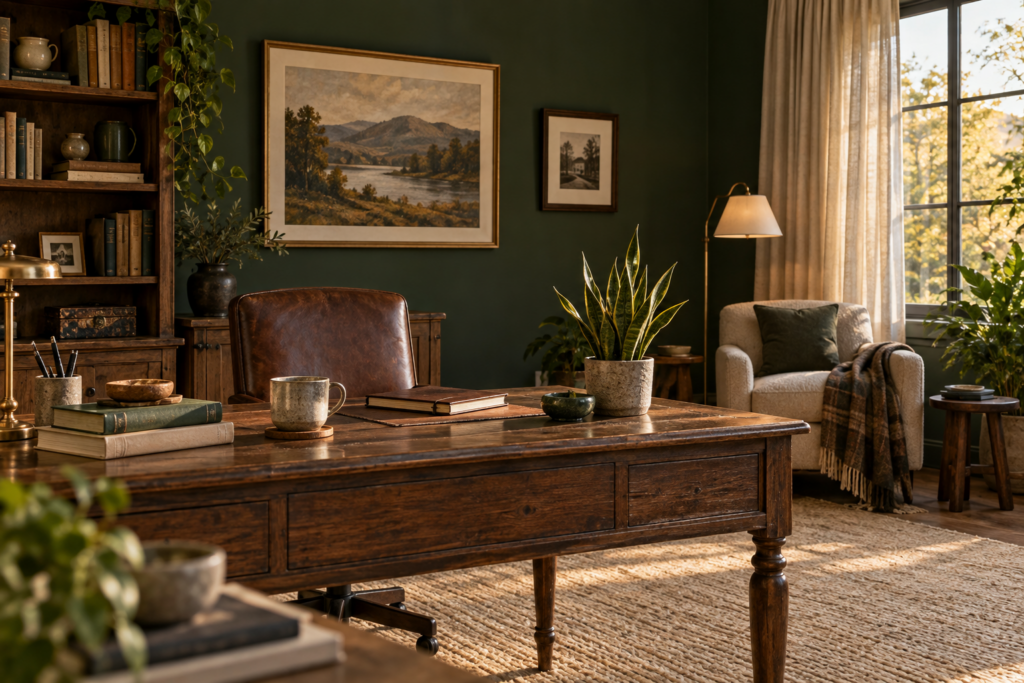
Once the practical layer is solved, the decorating is what determines whether you want to be in the room. This matters more in a home office than almost anywhere else, because you are in it by obligation rather than choice.
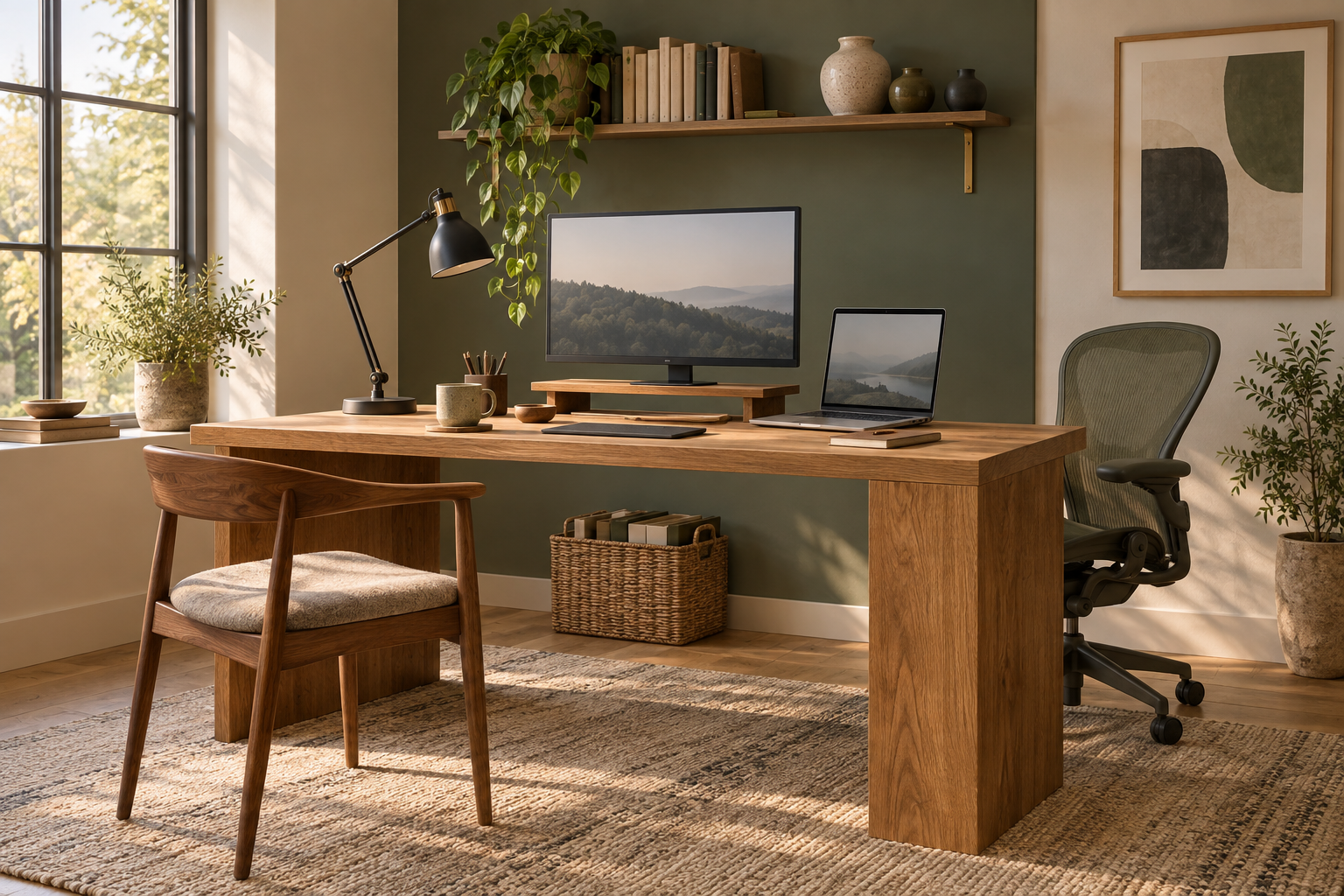
Colour should be chosen for how it feels over a long day rather than how it photographs. Muted greens and blues are the reliable choices for a workspace, since they read as calm without being cold. Warm neutrals work universally. Deep colours, meaning forest green, navy, deep clay or charcoal, suit small rooms and rooms with poor light particularly well, and they make a home office feel like a study rather than a spare room with a desk in it.
Two things to avoid: very bright saturated colour on large surfaces, which becomes tiring at length, and cool grey, which under artificial light or on a dull day makes a workspace feel institutional. If you want stimulation from colour, put it in smaller doses through art, textiles and objects rather than on the walls.
A painted feature wall behind the desk is genuinely useful here for a reason unrelated to aesthetics: it is your video call background, and a plain wall in a good colour is the best background there is.
Art in a workspace should be chosen to be looked at repeatedly rather than to make a statement. Things that reward a glance during a thinking pause: abstracts with some depth, landscapes, photographs of places you know, botanical or architectural prints, maps. Hang at the usual centre height of 145cm on an empty wall, or with 15 to 25cm of gap above furniture. A piece directly in your sightline when you look up from the screen is the most valuable position in the room.
Texture and soft materials solve the acoustic problem and the sterility problem at once. A wool rug, curtains rather than blinds, an upholstered chair, a woven basket, a throw over the back of a seat. Hard rooms echo, which makes calls sound worse and makes the room feel unwelcoming. Textiles absorb sound. If echo is a real problem, a rug and curtains together will fix most of it, and acoustic panels or a large fabric wall hanging handle the rest.
Plants are the standard advice and they do work, though the practical caveat is light. A desk plant in a bright room can be almost anything. In a dark office, snake plants, ZZ plants and pothos tolerate low light far better than the photogenic species, and a good artificial plant in a real pot is a legitimate answer for a windowless corner or a high shelf.
Personal objects are what separate a home office from a workstation, and the trick is curation rather than quantity. A few framed photographs, objects from places you have been, a good mug, books you actually reference. What undermines a workspace is the slow accumulation of things that have nowhere else to live, which is a storage problem wearing a decorating disguise.
Scent and small comforts are worth a mention because they are cheap and they change how a room feels: a candle you light at the start of the day, a specific desk lamp you turn on, a coaster, a decent water carafe. Small rituals mark the transition into work in a house where there is no commute to do it for you.
Small Spaces, Shared Rooms and Offices That Have to Disappear
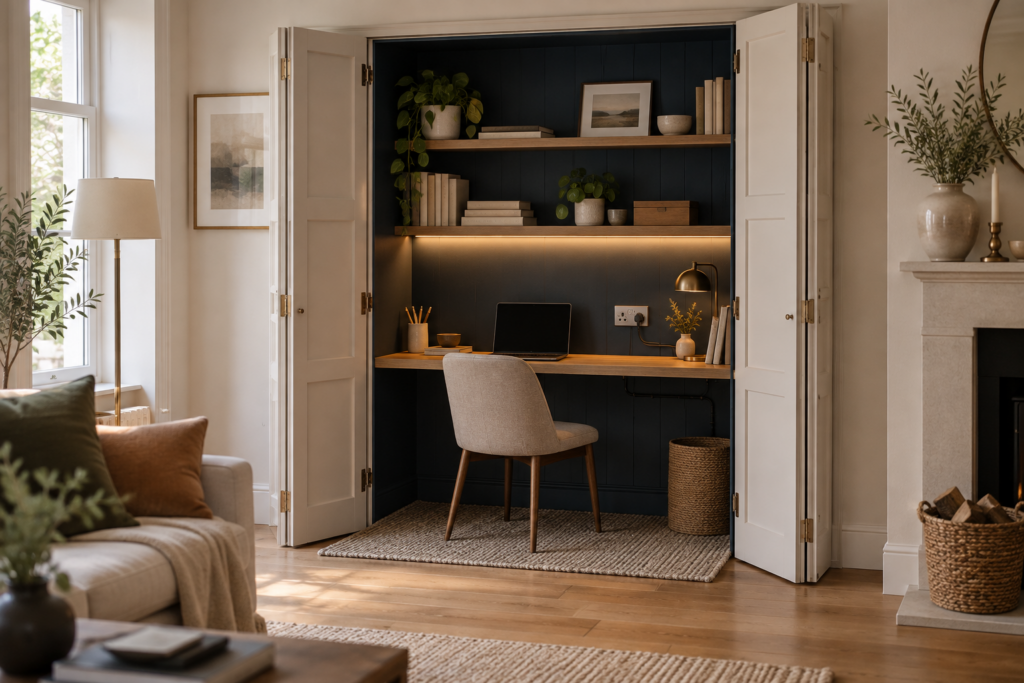
Not everyone gets a dedicated room, and the solutions for shared and small spaces are genuinely different rather than just smaller versions of the same thing.
A desk in a living room or bedroom needs a visual boundary or it will feel like work has colonised the space. The techniques that work: a rug defining the desk zone, a bookcase or shelving unit placed perpendicular to the wall as a partial divider, a folding screen, a different paint colour on the desk wall or inside an alcove, or a curtain on a ceiling track that closes the corner off entirely.
In a bedroom specifically, being able to stop seeing the desk matters for sleep. If a physical screen is impractical, the minimum is clearing the desk at the end of the day so it reads as furniture rather than as unfinished work.
Cupboard and alcove offices are the most effective small solution there is. A deep cupboard fitted with a worktop, a shelf above and a power socket inside becomes a full workstation that closes behind doors. An alcove beside a chimney breast takes a desk and shelving almost perfectly and costs little to fit out. Both need lighting inside, since a cupboard interior is dark, and a small strip light or a clamp lamp solves it.
Very small rooms should go vertical and go dark. Shelving to the ceiling, a wall-mounted or floating desk to free the floor, a slim chair, and a deep paint colour that makes the smallness deliberate rather than apologetic. A box room painted dark green with fitted shelving and one good lamp is a far better office than the same room painted white with furniture crammed in.
Two people in one room needs planning on three fronts. Physically, desks either side by side facing the same wall, back to back so you face each other across the room, or in an L in opposite corners, with the corner arrangement usually working best for noise and privacy. Acoustically, a rug, curtains, soft furnishings and headphones are the realistic tools, since a shared room will never be quiet. And practically, agree how calls work before it becomes an argument, since two people on video at once in one room is the thing that breaks shared offices.
Renting limits the permanent changes but not much else. Freestanding shelving, a leaning ladder desk, plug-in wall lights, a large rug, removable wallpaper on the call-background wall, and cable management that uses clips rather than drilling. Peel-and-stick panelling on one wall gives the room architecture without a single hole.
How do I make a small home office feel bigger?
Free the floor and use the walls. A wall-mounted or floating desk, shelving that runs to the ceiling, and furniture with visible legs all make a small room read as larger, since visible floor area is what the eye interprets as space.
Beyond that: keep the palette consistent across the whole room including the shelving, since colour changes chop a small space into pieces. Use a large mirror on the wall opposite the window or the desk. Hang curtains close to the ceiling and wider than the window to lift the proportions. Keep the desk surface clear, because visual clutter in a small room registers immediately. And resist the instinct to use lots of small furniture, since one well-scaled desk and one tall bookcase will feel less cramped than five small pieces.
Where Home Offices Go Wrong
The failures repeat, and almost all of them are practical rather than aesthetic.
Glare from a window in front of or behind the screen. Move the desk side-on to the window, or add a diffusing blind.
One overhead light and nothing else. Three layers, warm where possible, dimmable, with a proper task lamp.
A beautiful chair that hurts. A dining chair or a decorative armchair for a full working day is the most common source of back pain in home offices.
The laptop-on-the-desk setup. Working directly on a laptop for hours puts the screen too low and the neck at a permanent downward angle. A riser and a separate keyboard cost little and fix it.
Visible cable chaos. It undermines an otherwise good room more than anything else, and it takes an afternoon to solve.
No closed storage. Every printer, router, charger and box on display makes a room look like an overflow cupboard.
A cold, bare, hard room. No rug, no curtains, no soft materials. It echoes on calls and it feels unwelcoming to sit in.
Decorating it like a corporate office. Black furniture, grey walls, filing cabinets and nothing personal. It is a home, and the office should look like part of one.
Nothing to look at. A desk facing a blank wall with no art, no window and no plant gives the eye nowhere to go during a pause, which is genuinely tiring over a long day.
No boundary in a shared space. A desk in the corner of a living room with no rug, screen or colour change to define it makes both the work and the relaxing worse.
Frequently Asked Questions
Where should a desk be positioned in a home office?
Perpendicular to a window is the best position, with daylight arriving from the side rather than in front of or behind the screen, which avoids both glare in your eyes and reflections on the monitor. Where possible, also position the desk so you face into the room rather than at a blank wall, and so the door falls within your peripheral vision. If the layout forces you to face or back onto a window, a diffusing blind and a front-facing lamp solve most of the resulting problems.
What colour is best for a home office?
Muted greens and blues are the most reliable, since they feel calm over a long working day without being cold, and warm neutrals suit almost any room. Deep colours such as forest green, navy, clay or charcoal work particularly well in small rooms and rooms with poor natural light, where pale paint tends to read as flat and grey. Avoid large areas of very bright saturated colour, which becomes tiring, and cool grey, which looks institutional under artificial light.
How do I make my home office look good on video calls?
Sit with a plain or lightly styled wall behind you rather than a doorway, a window or a cluttered shelf, and light your face from the front at roughly eye level. A shelf with a few books, a plant and one piece of art gives depth without distraction. Position the camera at eye level rather than looking up at you, which usually means raising the laptop on a riser, and match the colour temperature of every light source in shot so your face is evenly lit.
What should I spend money on first in a home office?
The chair, then the lighting, then the desk. A chair is used for thousands of hours and directly affects whether you finish the day in pain, which makes it the one item where quality genuinely earns its cost. Lighting comes next because it affects comfort every day and costs relatively little to correct. A desk can be a plain solid surface at the right height, and a secondhand table often outperforms a new purpose-built desk at the same price.
How do I set up a home office in a bedroom or living room?
Create a visual boundary so the work zone reads as separate: a rug under the desk, a bookcase placed perpendicular to the wall as a partial divider, a folding screen, or a different paint colour on the desk wall or inside an alcove. Choose furniture that suits the room it sits in rather than office furniture, so the desk reads as a piece of furniture when not in use. In a bedroom, being able to close or clear the desk at the end of the day matters for sleep, so a cupboard office or a cleared surface is worth the effort.
How do I reduce echo and noise in a home office?
Soft materials absorb sound, so a wool rug, curtains rather than blinds, upholstered seating, a fabric wall hanging and books on open shelving will all reduce echo noticeably. Hard rooms with bare floors, bare walls and no textiles are what make calls sound hollow. For a serious problem, acoustic panels disguised as art or fabric panels on the wall behind you make the largest difference, and a good headset solves the rest for calls.
Do I need a separate room for a home office?
No, though a door helps considerably if your work involves calls or concentrated focus. A well-planned corner of another room, an alcove or a fitted cupboard office can work extremely well, provided there is a visual boundary defining the zone, adequate task lighting and somewhere for the physical material to live. What matters more than a dedicated room is a dedicated setup, meaning the chair, screen height, lighting and storage are properly resolved rather than improvised each day.